

Essential Web Development Skills for Beginners
Embarking on a web development journey can feel daunting, but it’s an incredibly rewarding path. The digital world is constantly evolving, and web developers are the architects behind the websites and applications we use every day. This guide will break down the fundamental skills you need to start building your own websites and pursuing a career in web development. We’ll cover the core technologies, provide practical examples, and offer advice for overcoming common challenges. Are you ready to code?
Background: The Web Development Landscape

Web development encompasses a wide range of activities, from creating simple static web pages to building complex, dynamic web applications. Understanding the different areas within web development is crucial for focusing your learning efforts.
Front-End Development
Front-end development, also known as client-side development, focuses on the user interface (UI) and user experience (UX) of a website or application. It involves creating the visual elements that users interact with directly, such as buttons, forms, and layouts. Front-end developers use languages like HTML, CSS, and JavaScript to bring designs to life and ensure a seamless user experience.
Back-End Development
Back-end development, also known as server-side development, deals with the behind-the-scenes functionality of a website or application. It involves managing databases, handling server logic, and ensuring data security. Back-end developers typically use languages like Python, Java, Node.js, PHP, and Ruby on Rails, along with databases like MySQL, PostgreSQL, or MongoDB.
Full-Stack Development
Full-stack development combines both front-end and back-end skills. A full-stack developer is proficient in all layers of the application, from the user interface to the server and database. While mastering both areas takes time and effort, it offers a comprehensive understanding of the entire web development process.
Importance of Web Development Skills

In today’s digital age, web development skills are more valuable than ever. Businesses of all sizes rely on websites and web applications to reach customers, promote their products and services, and streamline their operations. The demand for skilled web developers is constantly growing, making it a promising career path.
Career Opportunities
Web development skills open doors to a wide range of career opportunities, including:
- Front-End Developer
- Back-End Developer
- Full-Stack Developer
- Web Designer
- Web Application Developer
- Software Engineer
Business Opportunities
Beyond traditional employment, web development skills also empower you to create your own online businesses, build websites for clients, and develop innovative web applications. This can lead to entrepreneurial ventures and increased financial independence.
Personal Projects and Innovation
Web development skills aren’t just for professionals. They allow you to bring your own ideas to life, whether it’s building a personal blog, creating a tool for a hobby, or developing a solution to a real-world problem. It empowers you to be a creator and innovator.
Benefits of Learning Web Development

Learning web development offers numerous personal and professional benefits. It’s not just about writing code; it’s about problem-solving, creativity, and continuous learning.
Problem-Solving Skills
Web development is inherently about solving problems. You’ll constantly encounter challenges and bugs in your code, which require you to think critically, analyze issues, and find creative solutions. This strengthens your problem-solving abilities in all areas of life.
Creativity and Design
Front-end development allows you to express your creativity through design. You can create visually appealing and user-friendly interfaces that enhance the user experience. Even back-end development can involve creative problem-solving in designing efficient and scalable systems.
Logical Thinking
Web development requires logical thinking and a structured approach. You need to break down complex problems into smaller, manageable steps and develop algorithms to solve them. This improves your overall logical reasoning skills.
Continuous Learning
The web development landscape is constantly evolving. New technologies, frameworks, and libraries emerge regularly. This necessitates a commitment to continuous learning and staying up-to-date with the latest trends, which keeps your mind sharp and engaged.
High Demand and Earning Potential
As mentioned earlier, the demand for web developers is high, leading to excellent job security and earning potential. Skilled developers are highly sought after by companies across various industries.
Steps to Acquire Essential Web Development Skills

Here’s a structured roadmap for beginners to acquire the essential web development skills:
1. HTML: The Foundation of the Web
HTML (HyperText Markup Language) is the foundation of every website. It provides the structure and content of a web page. Think of it as the skeleton upon which everything else is built.
Learning HTML Basics
Start by learning the basic HTML tags, such as:
<html>: The root element of an HTML page.<head>: Contains meta-information about the HTML page, such as the title and character set.<title>: Specifies a title for the HTML page (which is shown in the browser’s title bar or tab).<body>: Contains the visible page content.<h1>to<h6>: Defines HTML headings.<p>: Defines a paragraph.<a>: Defines a hyperlink.<img>: Defines an image.<ul>,<ol>,<li>: Defines unordered and ordered lists.<div>: Defines a division or a section in an HTML document.<span>: An inline container used to mark up a part of a text, or a part of a document.
Actionable Step: Create a simple HTML page with a heading, a paragraph, and a link to another website. Save it as `index.html` and open it in your browser.
2. CSS: Styling Your Web Pages
CSS (Cascading Style Sheets) is used to style the visual presentation of your HTML elements. It controls the layout, colors, fonts, and other visual aspects of your website.
Learning CSS Basics
Start by learning the basic CSS properties, such as:
color: Sets the color of text.font-size: Sets the size of text.font-family: Sets the font of text.background-color: Sets the background color of an element.margin: Sets the margin around an element.padding: Sets the padding inside an element.border: Sets the border around an element.width: Sets the width of an element.height: Sets the height of an element.display: Specifies the display type of an element (e.g., block, inline, inline-block).
CSS Selectors
Learn how to target specific HTML elements using CSS selectors, such as:
- Element selectors (e.g., `p`, `h1`)
- Class selectors (e.g., `.my-class`)
- ID selectors (e.g., `#my-id`)
Actionable Step: Create a CSS file (e.g., `styles.css`) and link it to your HTML page using the <link> tag. Style the heading, paragraph, and link you created in the previous step.
3. JavaScript: Adding Interactivity
JavaScript is a programming language that enables you to add interactivity and dynamic behavior to your website. It allows you to respond to user actions, manipulate the DOM (Document Object Model), and create more engaging user experiences.
Learning JavaScript Basics
Start by learning the basic JavaScript concepts, such as:
- Variables (
var,let,const) - Data types (strings, numbers, booleans, arrays, objects)
- Operators (+, -, *, /, ==, ===, !=, !==)
- Control flow (
if,else,for,while) - Functions
- DOM manipulation (
document.getElementById(),document.querySelector(),element.innerHTML)
Actionable Step: Add a JavaScript file (e.g., `script.js`) to your HTML page using the <script> tag. Write a simple JavaScript function that changes the text of a paragraph when a button is clicked.
4. Version Control with Git
Git is a version control system that allows you to track changes to your code, collaborate with others, and easily revert to previous versions if needed. It’s an essential tool for any web developer.
Learning Git Basics
Learn the basic Git commands, such as:
git init: Initializes a new Git repository.git add: Adds files to the staging area.git commit: Commits changes to the repository.git push: Uploads changes to a remote repository (e.g., GitHub, GitLab, Bitbucket).git pull: Downloads changes from a remote repository.git branch: Creates, lists, or deletes branches.git merge: Merges changes from one branch into another.
Actionable Step: Create a GitHub account and a new repository. Initialize a Git repository in your project directory, add your files, commit your changes, and push them to your GitHub repository.
5. Front-End Frameworks (Optional but Recommended)
Front-end frameworks like React, Angular, and Vue.js provide pre-built components and tools that can significantly speed up your development process and help you build more complex and maintainable applications.
Choosing a Framework
React is a popular choice for its component-based architecture and large community. Angular is a comprehensive framework developed by Google. Vue.js is known for its simplicity and ease of use.
Actionable Step: Choose one front-end framework and follow its official tutorial to build a simple application, such as a to-do list or a counter.
6. Back-End Development Fundamentals
While you can focus solely on front-end development, understanding the basics of back-end development can be beneficial. Learn about server-side languages, databases, and APIs.
Server-Side Languages
Popular server-side languages include Python, Java, Node.js, PHP, and Ruby.
Databases
Learn about different types of databases, such as relational databases (e.g., MySQL, PostgreSQL) and NoSQL databases (e.g., MongoDB).
APIs (Application Programming Interfaces)
Learn how to create and consume APIs to exchange data between the front-end and back-end.
Actionable Step: Choose a server-side language and a database. Follow a tutorial to create a simple API that retrieves data from the database and sends it to the front-end.
7. Practice, Practice, Practice
The key to mastering web development is practice. Build personal projects, contribute to open-source projects, and challenge yourself to solve real-world problems with code.
Examples of Beginner-Friendly Web Development Projects

Here are some project ideas to help you practice your web development skills:
Personal Portfolio Website
Create a website to showcase your skills, projects, and experience. This is a great way to build your online presence and attract potential employers or clients.
To-Do List Application
Build a simple to-do list application that allows users to add, delete, and mark tasks as complete. This project will help you practice DOM manipulation and event handling.
Simple Blog
Create a basic blog where you can write and publish articles. This project will help you learn about back-end development, databases, and content management systems.
Weather App
Build a weather app that fetches weather data from an API and displays it to the user. This project will help you learn about APIs and asynchronous programming.
Strategies for Effective Learning
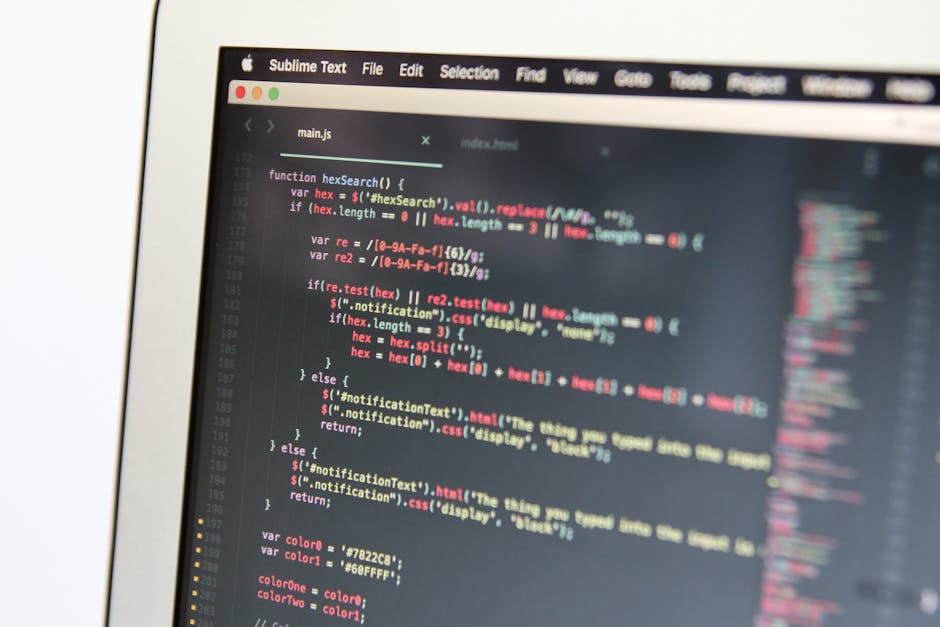
Here are some strategies to help you learn web development more effectively:
Set Realistic Goals
Don’t try to learn everything at once. Start with the fundamentals and gradually build your knowledge and skills.
Break Down Complex Problems
When faced with a complex problem, break it down into smaller, more manageable steps.
Use Online Resources
There are countless online resources available, including tutorials, documentation, and online communities. Utilize these resources to your advantage.
Join Online Communities
Connect with other developers online and ask for help when you’re stuck. Learning from others and sharing your knowledge can be incredibly beneficial.
Practice Consistently
The more you practice, the better you’ll become. Set aside time each day or week to work on your web development skills.
Challenges and Solutions
Learning web development can be challenging, but with the right approach, you can overcome these obstacles.
Overwhelm
Challenge: Feeling overwhelmed by the sheer amount of information.
Solution: Focus on one technology at a time, start with the basics, and gradually expand your knowledge.
Imposter Syndrome
Challenge: Doubting your abilities and feeling like a fraud.
Solution: Celebrate your progress, focus on learning and improving, and remember that everyone starts somewhere.
Debugging
Challenge: Finding and fixing errors in your code.
Solution: Use debugging tools, read error messages carefully, and ask for help from online communities.
Staying Motivated
Challenge: Losing motivation and giving up.
Solution: Set realistic goals, celebrate your accomplishments, and find a learning partner or mentor.
FAQ – Web Development for Beginners
Here are some frequently asked questions about web development for beginners:
Q: What is the best programming language to start with for web development?
A: HTML, CSS, and JavaScript are the foundational languages for front-end development, and they’re a great starting point. For back-end, Python is often recommended for its beginner-friendly syntax.
Q: How long does it take to become a web developer?
A: It depends on your learning pace and goals. You can learn the basics in a few months, but mastering the skills and becoming a proficient developer can take several years.
Q: Do I need a computer science degree to become a web developer?
A: No, a computer science degree is not required. Many successful web developers are self-taught or have learned through bootcamps and online courses.
Q: What are some good online resources for learning web development?
A: Codecademy, freeCodeCamp, MDN Web Docs, and Udemy are excellent resources for learning web development online.
Q: How can I build a portfolio to showcase my web development skills?
A: Create personal projects, contribute to open-source projects, and build websites for friends or family. Document your projects and showcase them on a portfolio website or GitHub.
Conclusion
Learning web development is a journey that requires dedication, perseverance, and a passion for problem-solving. By mastering the essential skills, practicing consistently, and leveraging online resources, you can embark on a rewarding career path and create amazing things on the web. Ready to start coding? Explore the resources mentioned in this guide and begin building your first web project today! Take the first step towards becoming a web developer and unlock a world of opportunities.